
Gig worker tools can help you track earnings, record business mileage, organize expenses, navigate between jobs, and prepare for tax season. Whether you drive for a rideshare or delivery platform, complete local tasks, or earn money through freelance projects, keeping accurate records makes it easier to understand how much you actually keep.
You do not need a dozen apps to manage a side hustle. A few practical tools can cover most of your needs, from tracking income and expenses to reviewing your earnings per hour. The important thing is to choose tools that solve real problems, understand their free-plan limits, and keep your own records.
This guide compares five free tools or free plans for gig workers, including earnings and mileage trackers, navigation, spreadsheets, and official tax resources. The tax guidance focuses on U.S. federal rules, and some of the recommended apps are primarily designed for U.S.-based drivers.
Quick Comparison: 5 Free Gig Worker Tools
| Tool | Best For | Free Features | Main Limitation |
|---|---|---|---|
| Gridwise | Driver earnings and mileage records | Manual earnings entry, business mileage tracking, and report exports | Automatic earnings syncing and automatic mileage tracking require a paid plan |
| Everlance | Mileage, receipts, and expenses | 30 automatically detected trips per month, unlimited manual trip tracking, receipt uploads, and CSV exports | Automatic trip detection is limited on the free Basic plan |
| Google Maps | Navigation and route planning | Standard navigation, directions, and available traffic information | Traffic information and features vary by location |
| Google Sheets | Calculating earnings after expenses | Basic spreadsheets, formulas, and financial tracking | Requires consistent manual data entry |
| IRS Gig Economy Tax Center | U.S. tax information | Official tax guidance and recordkeeping resources | Provides information, not personalized tax advice |
Before choosing a tool: Check its current pricing, privacy policy, supported devices, and feature limits. A free plan may be enough for occasional work but insufficient if you drive or complete gigs every day.
1. Gridwise: Track Gig Earnings and Mileage
Gridwise is a gig-work management app designed primarily for rideshare and delivery drivers. It helps you organize earnings, record business mileage, and review work activity without relying entirely on separate platform dashboards.
What can you do with Gridwise for free?
Gridwise’s free plan includes several practical recordkeeping features:
- Manual earnings tracking: Record earnings from supported work accounts or other gig activities that you track manually.
- Business mileage records: Record and manage miles driven for work.
- Report exports: Export earnings, mileage, and expense reports to help organize your records.
- Local activity information: Access certain event and airport activity information that may help with work planning.
The main distinction is between recording information yourself and automating the process. Gridwise Plus offers features such as automatically syncing earnings from connected work accounts and automatically recording mileage.
Check the official Gridwise pricing and feature guide before upgrading. Plan features and prices can change.
Who should use Gridwise?
Gridwise is worth considering if you drive for multiple delivery or rideshare platforms and want to review your earnings and mileage in one place.
Keep in mind: Earnings records can reveal your work patterns, but the app cannot guarantee higher pay, more orders, or more profitable shifts. Use your actual results to evaluate whether a particular schedule or location works for you.
2. Everlance: Track Mileage, Receipts, and Expenses
Everlance is a mileage and expense tracking tool for self-employed workers and others who need organized records of business travel and spending.
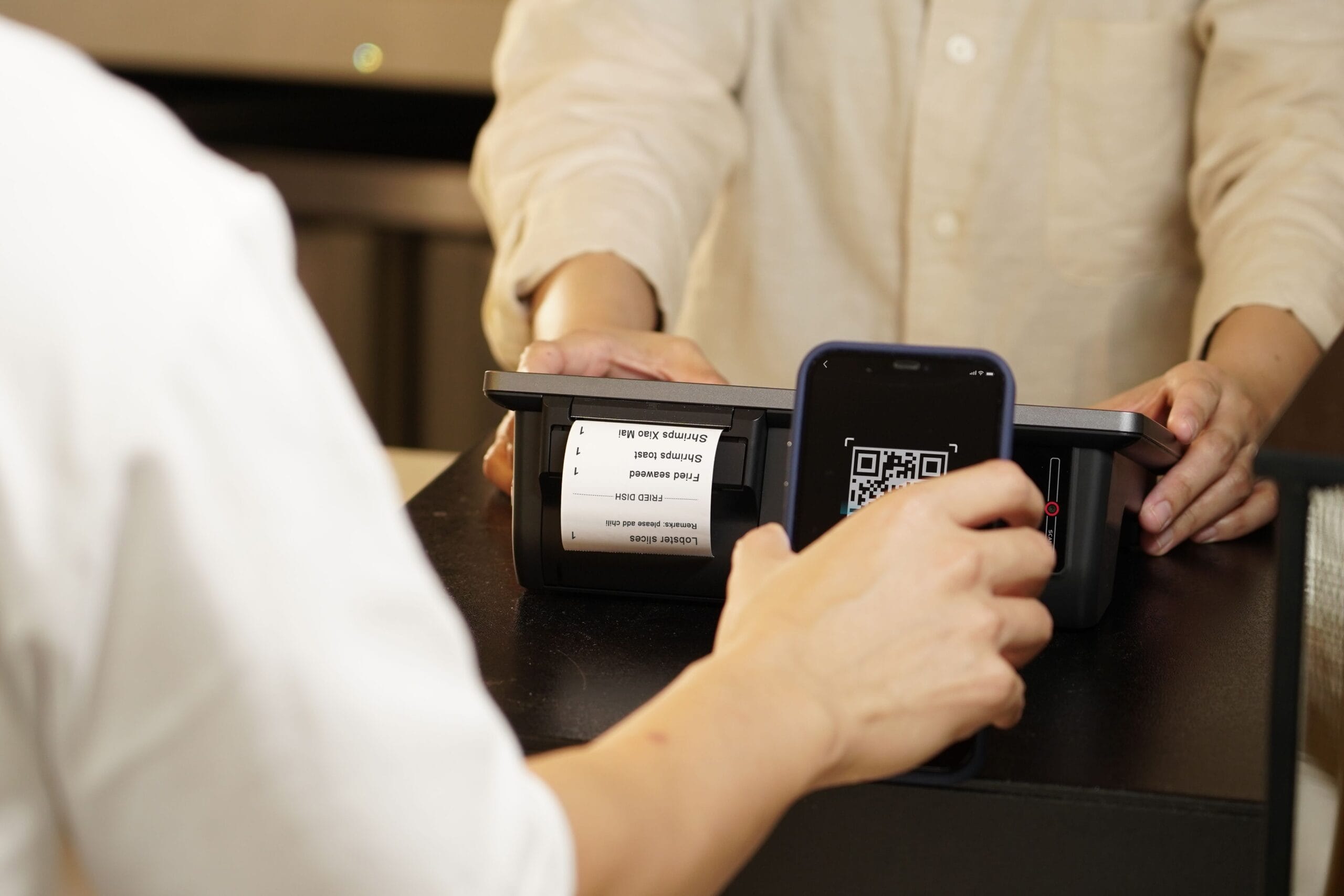
It can be useful for rideshare and delivery drivers, freelancers who travel to clients, and independent workers who need to keep receipts and review expenses throughout the year.
What is included in Everlance Basic?
Everlance’s published free Basic plan includes:
- Up to 30 automatically detected trips per month.
- Unlimited manually tracked trips.
- Unlimited receipt uploads.
- Manual expense and revenue tracking.
- Unlimited CSV data exports.
These features provide a useful starting point for maintaining mileage and expense records. If you drive frequently, however, the monthly automatic trip limit may not be enough. You can continue tracking trips manually or compare the paid plans.
Review the official Everlance free-plan explanation and current plan comparison to confirm which features are included.
Why should gig workers track mileage and expenses?
Gross earnings do not show the complete cost of completing a job. Driving-related costs, tolls, parking, supplies, equipment, and other business expenses can affect how much you keep.

Maintaining a mileage log and saving receipts can make it easier to review those costs. If you use your records for U.S. tax purposes, remember that tax deduction rules depend on your circumstances and the method used. Do not count the same expense twice when calculating a deduction.
Best for: Gig workers who want more structured mileage and expense records without immediately paying for a subscription.
Reliable navigation can save time and make driving-based gig work easier to manage. Google Maps provides directions, turn-by-turn navigation, and traffic information where available.

For delivery couriers and rideshare drivers, the app can help with unfamiliar addresses, alternative routes, and planning a sequence of destinations.
- Review destinations before leaving. Check the address and route before you start driving.
- Compare travel time and distance. The shortest route is not always the quickest when traffic or road conditions change.
- Account for unpaid travel. Consider how far you may need to travel after a delivery or ride to reach another work area.
- Include driving costs. Tolls, parking, fuel, and vehicle wear can affect the value of a job.
Navigation is useful for planning, but it does not tell you whether a job will be profitable. That depends on the payment, time involved, operating costs, and likelihood of finding another job afterward.
Google Maps features and traffic coverage vary by region. See the official Google Maps navigation guide for supported features and instructions.
Safety reminder: Enter destinations and review routes while parked. Follow local traffic laws and never handle your phone while driving when prohibited or unsafe.
4. Google Sheets: Calculate Your Actual Gig Earnings
Google Sheets is a flexible option if you want to monitor your gig income without relying on one tracking app. You can use a spreadsheet to record earnings from different platforms, total your expenses, and compare your results over time.
A spreadsheet works for drivers, freelance writers, online task workers, and anyone who earns money through several sources. You control the categories and calculations, so you can adapt it to the way you work.
What should you record?
Start with these columns:
- Date and platform or client.
- Hours worked, including relevant waiting and administrative time.
- Gross earnings, including tips and bonuses where applicable.
- Business mileage, if you drive for work.
- Work-related expenses and fees.
- Estimated profit before taxes.
Keep your entries consistent. For example, record a platform payment as income when received or earned according to the method you follow, and avoid counting the same payment or expense multiple times.
Calculate your profit per hour
Two useful calculations are:
Estimated operating profit = Gross earnings − recorded operating costs
Estimated profit per hour = Estimated operating profit ÷ total hours worked
For example, imagine you receive $120 in gross earnings over six hours and record $25 in costs for that period.
| Gross earnings | $120.00 |
| Recorded operating costs | $25.00 |
| Estimated operating profit | $95.00 |
| Total hours worked | 6 |
| Estimated profit per hour | $15.83 |
This is an illustration, not an estimate of typical gig earnings. The calculation only accounts for the costs included in the example. If you have additional costs, such as vehicle depreciation, insurance, equipment, or other work-related expenses, your effective profit may be lower. Taxes are also excluded.
For drivers, tracking profit per business mile can provide another useful comparison. For freelancers, tracking unpaid administration and client communication can help reveal how much time a project really requires.
These are budgeting calculations, not a substitute for tax accounting. The way an expense is handled for tax purposes may differ from how you track the economic cost of your work.
For instructions on creating and editing spreadsheets, see Google’s official Sheets guide.
Best for: Workers who want to compare platforms, jobs, hours, and expenses using their own records.
5. IRS Gig Economy Tax Center: Find Official Tax Guidance
For U.S.-based gig workers, the IRS Gig Economy Tax Center provides free official information about tax responsibilities for people earning money through rideshare services, delivery apps, freelance work, online platforms, and other types of gig activity.
Tax obligations can be overlooked when gig work is part-time or spread across multiple platforms. The IRS explains that gig income generally must be reported, even when the worker does not receive a Form 1099 from a platform or client.
What can you learn from the IRS?
- Income reporting: Understand how gig income fits into your tax return.
- Recordkeeping: Learn why it is important to keep income records, receipts, and supporting documents.
- Business expenses: Find official information about potentially deductible expenses and the rules that apply.
- Estimated taxes: Understand when independent contractors may need to make estimated tax payments.
- Filing requirements: Review the forms and guidance relevant to your work status and circumstances.
Independent contractors may need to pay estimated taxes during the year. The applicable requirements depend on factors such as earnings, withholding, and other tax circumstances.
Start with the IRS guide to managing taxes for gig work. Keep your records organized throughout the year instead of waiting until tax season to reconstruct your income and expenses.
This is U.S.-specific information, not international tax advice. If you work in another country, consult the appropriate tax authority for the rules that apply to you. If your situation is complicated, a qualified tax professional can help you understand your obligations.
Best for: U.S.-based gig workers who want authoritative guidance rather than relying solely on app summaries or social media advice.
How to Choose the Right Gig Worker Tools
You do not need to use all five tools. Start with the problems that take the most time or create the most uncertainty in your work.

- If you drive regularly, start with navigation and a mileage tracker. Choose between manual records and automated tracking based on your workload and budget.
- If expenses are hard to organize, use a mileage and receipt tool or a simple spreadsheet to maintain consistent records.
- If you work across multiple platforms, record your earnings separately so you can compare performance rather than relying on a single total.
- If your main concern is profitability, track income, hours, mileage, and relevant operating costs. Compare your results over several shifts or projects.
- If you are concerned about taxes, keep receipts and income records and use official tax guidance for your jurisdiction.
Also consider privacy before connecting your gig accounts. Review permissions, location access, data-sharing practices, and backup options. Keep copies of important records that you can access independently of the app.
Be cautious of services that promise guaranteed earnings or unusually high returns for little effort. The Federal Trade Commission’s guide to avoiding side-hustle scams explains warning signs such as unrealistic income promises, pressure to act immediately, and requests for upfront payments to obtain work.
Frequently Asked Questions
What is the best free app for gig workers?
It depends on what you need. Gridwise is worth considering for driver earnings and mileage records. Everlance offers mileage and expense tracking with a free Basic plan. Google Maps is useful for navigation, while Google Sheets lets you calculate earnings and expenses yourself. The IRS Gig Economy Tax Center is a useful free resource for U.S. tax information.
Can gig worker tools increase your earnings?
They can help you make more informed decisions by showing your work hours, recorded costs, mileage, and earning patterns. However, no tracking app can guarantee more orders, higher pay, or a specific income. Your results depend on the platform, location, demand, time spent working, and operating expenses.
Do gig workers need a mileage tracking app?
Not necessarily. A mileage tracker can make recordkeeping easier for workers who drive for business, but a consistently maintained manual log may also work. Choose a method that captures accurate records and meets the requirements that apply to your situation.
Can a mileage app replace tax records or an accountant?
A mileage app can help organize records, but using an app does not automatically establish that every entry is accurate or that every expense qualifies for a deduction. Keep supporting documentation and follow the rules that apply to your tax situation. Seek qualified tax advice when needed.
Are all the tools in this guide completely free?
The tools listed provide free services, free plans, or free official information, but some have paid upgrades or limits. Gridwise’s automation features require a paid plan, and Everlance Basic limits automatic trip detection to 30 trips per month. Google Maps and Google Sheets provide useful standard features, while the IRS tax resources are free to access.
Related Guides for Gig Workers
Once you have a recordkeeping system in place, these guides can help you explore the next step:
- Gig economy side hustles that pay daily or offer faster access to earnings, for comparing types of work and payment expectations.
- Gig apps with fast payout options, for reviewing payment schedules, eligibility, and potential fees.
- How to build multiple income streams as a gig worker, for thinking about diversification rather than relying on one source of work.
- Freelancing: how it works, how to start, and where to find work, for readers interested in client-based projects.
- Instant-payout micro jobs, for readers exploring short online tasks instead of driving-based gigs.
Sources and Further Reading
- Gridwise: Free features and subscription pricing
- Everlance: What is included in the free Basic plan?
- Google Maps Help: Navigation and traffic information
- Google Sheets Help: Creating and using spreadsheets
- Internal Revenue Service: Gig Economy Tax Center
- Internal Revenue Service: Managing taxes for gig work
- Federal Trade Commission: How to avoid a side-hustle scam
Also Read: Economic Calendar: Spotting Side Hustle Opportunities Early
Well, what do you think about the article?
Did you enjoy reading “5 Free Gig Worker Tools for Earnings, Mileage & Taxes”? We really hope that you have enjoyed.
If you have any thoughts or comments about this post, please feel free to share them in the comment section below. We appreciate your feedback and would be glad to hear from you.
To see more content like this check the Beermoney section of Money For My Beer.

Chief Editor and Website Owner.
Hi, I’m Ryan. I write and edit everything on this site, which means I’m the last set of eyes on every post before it goes live. By day I’m a technical architect. I design and build enterprise systems, apps, websites, and the occasional game.
This site started because I wanted one place where money advice for regular people doesn’t read like it was written by a finance robot. My goal is simple: every article should be genuinely useful, actually tested against what real people are searching for, and written in plain English. No jargon, no “get rich quick,” no advice I wouldn’t follow myself.
You’ll see a lot of topics here that lean on my engineering background: software reviews, tools, and tech-adjacent money stuff. Where a topic needs real financial expertise, I say so plainly and point you to qualified sources rather than pretending.