Selling old electronics is a practical way to make extra money from devices you no longer use. An old smartphone, laptop, tablet, gaming console, smartwatch, or camera may still have resale value, even if it is no longer your primary device.
The challenge is finding the right buyer. Some selling platforms provide access to more potential buyers, while local marketplaces and electronics resellers may offer a faster transaction. Trade-in programs are convenient, but they may provide store credit instead of cash.
This guide explains where to sell old electronics for cash, how to compare selling options, how to estimate your device’s value, and what to do before handing it over. Selling unused belongings is also one of the practical ideas covered in our broader guide to 10 ways to make money in your spare time.
Location note: The platforms and services discussed in this guide are primarily intended for U.S. readers. Availability, payment methods, fees, and eligibility can vary by country.
Last reviewed: October 30, 2026
Quick Answer: Where Should You Sell Old Electronics?
The best place depends on whether you want the highest potential selling price, a quick transaction, or a convenient way to get rid of an unwanted device.
- For a potentially higher selling price: Consider online marketplaces such as eBay or Swappa, provided your device meets their listing requirements. You will need to manage the listing, buyer communication, and possibly shipping.
- For a local sale: Try Facebook Marketplace, local selling groups, or independent electronics shops. A nearby buyer may allow you to complete the transaction without shipping.
- For convenience: Compare offers from electronics buyback companies such as Gazelle and BuyBackWorld. These services provide quotations before inspecting the devices you send.
- For comparing offers: SellCell lets you compare participating phone buyers instead of contacting each one individually.
- For a replacement device: Consider a manufacturer trade-in program. Remember that the payment may be store credit or a gift card rather than unrestricted cash.
There is no single platform that guarantees the highest price or fastest payment. Compare the final amount you will receive, not just the advertised offer.
Best Places to Sell Old Electronics for Cash
These are the main selling options to consider when you want to turn unused technology into money. Each has different advantages, costs, and requirements.
| Platform or option | Type | Best for | What to consider |
|---|---|---|---|
| eBay | Online marketplace | Phones, computers, consoles, cameras, and accessories | Broad buyer reach and control over pricing, but selling fees, shipping expenses, and competition affect your final proceeds. |
| Swappa | Technology marketplace | Working smartphones, tablets, computers, watches, and other supported devices | Has specific device eligibility requirements and a seller fee, plus payment processing costs. |
| Facebook Marketplace | Local marketplace | Devices you want to sell to nearby buyers | Can make local handovers easier, but you must verify payment and take precautions when meeting strangers. |
| Gazelle | Direct buyback | Supported smartphones and other devices listed on its trade-in site | Provides a quotation followed by inspection. Payment options include PayPal, check, and an Amazon gift card. |
| BuyBackWorld | Direct buyback | Phones, tablets, laptops, gaming consoles, cameras, and computer components | Offers upfront quotations, shipping arrangements, and several payment options, subject to inspection and current terms. |
| SellCell | Price-comparison service | Comparing offers from different phone buyers | Does not purchase devices directly. Participating buyers handle the actual transaction and payment. |
| Apple Trade In | Manufacturer trade-in | Eligible Apple devices and supported third-party devices | Generally provides trade-in credit or an Apple Gift Card, not unrestricted cash. |
1. eBay: Reach More Potential Buyers
eBay is worth considering when you want to sell a wider range of electronics. Its marketplace includes smartphones, laptops, gaming systems, cameras, computer components, accessories, and older products that may appeal to collectors or people looking for replacement parts.
You can create a fixed-price listing or use an auction format when appropriate. You also control the asking price and can describe the item’s condition in detail.
However, selling costs should be part of your pricing decision. eBay charges selling fees that vary by category and other account or listing conditions. Its official seller fee information explains the applicable charges.
eBay is particularly useful when you have a device with an identifiable model and can research what similar items have actually sold for. Do not rely only on active listings because asking prices do not necessarily represent what buyers are willing to pay.
2. Swappa: Sell Supported, Working Technology
Swappa is a marketplace focused on technology products, including phones, tablets, computers, watches, cameras, and gaming equipment.
As of October 30, 2026, Swappa charges sellers a 3% marketplace fee based on the asking price. Payment processing fees from PayPal or Stripe may also apply. Check its current fee schedule before calculating your expected payout.
There are also important eligibility requirements. Devices sold through Swappa’s regular marketplace must be fully functional, have no cracked or chipped glass or water damage, have a clean IMEI or ESN, and be free of operating-system or activation locks. Devices must also meet its other listing requirements.
This makes Swappa more appropriate for working devices in acceptable condition than for severely damaged electronics. Review its device listing criteria before creating an account or listing.
3. Facebook Marketplace: Find Local Buyers
Facebook Marketplace can be useful when you want to sell electronics without shipping them to another state. You can publish a listing, add photographs, describe the device, and communicate with interested buyers.
Local listings are particularly practical for larger items such as desktop computers, monitors, televisions, and gaming equipment. They can also work for phones and tablets when buyers prefer to inspect a device before purchasing it.
Agree on the price and payment method before arranging the handover. Choose a public, well-lit meeting location, and do not release the device until you have independently confirmed that payment has been received.
Marketplace availability and payment features vary by location, so check the options available to your account.
4. Local Electronics Shops, Repair Businesses, and Pawn Shops
Another option is to approach businesses that purchase used electronics. Independent phone shops, computer repair businesses, electronics resellers, and pawn shops may be interested in devices they can refurbish, resell, or use for parts.
This approach can save time because you do not have to create a listing or wait for an individual buyer. You can also ask several businesses for quotations before accepting an offer.
However, remember that a shop needs room to cover its operating costs and make a profit when reselling a device. Its offer may therefore be lower than the price you could receive from a direct buyer.
When dealing with a pawn shop, clarify whether you are selling the item outright or using it as collateral for a loan. These are different transactions with different terms.
5. Electronics Buyback Companies
Electronics buyback companies are worth considering when you want to sell unwanted technology without creating your own marketplace listing. They typically provide an estimated offer based on your device’s model and condition, followed by an inspection after receiving the item.
Two examples are Gazelle and BuyBackWorld.
Gazelle provides quotations for supported devices and offers prepaid shipping for eligible trade-ins. Its listed payment methods include PayPal, check, and Amazon gift cards. BuyBackWorld covers a wider range of electronics, including phones, laptops, gaming consoles, cameras, and computer components. Its published payment options include checks, PayPal, direct deposit, prepaid debit cards, Venmo, and store gift cards.
Both companies inspect devices before finalizing payment. Make sure your device matches the condition selected when requesting a quotation, and review the current terms for revised offers, payment processing, and returns.
These services are examples rather than endorsements. Compare the actual amount offered, payout method, shipping arrangements, and buyer terms before sending your device.
6. SellCell: Compare Offers From Multiple Buyers
Another option is SellCell, which helps users compare offers from participating phone buyers.
Instead of visiting several buyback websites individually, you can look up your device and compare available quotations. This can help you identify a more competitive offer without repeating the same search on multiple websites.
It is important to understand that SellCell is a price-comparison service, not the company purchasing your device. You select a participating buyer through its platform, and that buyer handles the actual transaction, inspection, and payment.
Read the selected buyer’s terms carefully. Check its device-condition requirements, shipping arrangements, inspection process, payout method, and policies for revised offers.
7. Manufacturer Trade-In Programs
Manufacturers sometimes accept older devices as part of a replacement or upgrade program. This can be convenient when you are already planning to purchase a newer model.
For example, Apple Trade In accepts eligible Apple and certain third-party devices. Depending on eligibility and the transaction, you may receive trade-in credit or an Apple Gift Card.
These programs are not necessarily the best choice when your main goal is unrestricted cash. Compare their offers with those from direct buyers before deciding.
How to Choose the Best Selling Option
Rather than automatically choosing the most popular marketplace, start with what matters most to you.
If You Want the Highest Possible Selling Price
Consider selling directly to another buyer through an established marketplace. This gives you more control over the asking price and lets you reach people looking for your particular device.
The trade-off is additional work. You must prepare the listing, respond to questions, negotiate, handle shipping or arrange collection, and account for selling fees.
If You Need Money Quickly
Try local buyers, used-electronics businesses, or buyback services that can provide a clear offer. An in-person transaction may be completed on the same day if you find a buyer and agree on the price.
However, a fast offer is not automatically a good offer. Compare prices from more than one buyer whenever possible.
If You Prefer a Simple Transaction
A buyback service or manufacturer trade-in may involve less effort than managing a public listing. You receive a quotation and follow the provider’s instructions.
Just remember that convenience has a cost. A direct buyer may be willing to pay more, especially for a newer device in good condition.
Selling a few unused devices is different from operating a regular resale business. If you are considering turning buying and selling products into a more consistent business, our small business guide covers the fundamentals of starting and managing a business.
How Much Are Your Old Electronics Worth?
The value of a used electronic device depends on several factors. Two devices of the same model can receive very different offers because of differences in storage, condition, functionality, and demand.
Device Model and Age
Newer products generally have a wider resale market, particularly when they are popular models with continuing software support. However, older devices can still attract buyers when they are affordable, collectible, or useful for repairs.
Identify the exact model, storage capacity, release generation, and configuration before looking for a price estimate.
Physical and Working Condition
Buyers usually pay more for devices that are fully functional and well maintained. Scratches, cracked screens, water damage, worn batteries, missing buttons, and faulty ports can reduce the amount you receive.
Be honest about the condition. A lower but accurate listing price is preferable to a misleading description that leads to a return or dispute.
Battery Health and Accessories
Battery condition can be particularly important for smartphones, tablets, and laptops. Where the device provides battery health information, include an accurate reading in your listing.
Original chargers, cables, cases, and other accessories may make a package more attractive. However, do not automatically assume that accessories will add a fixed amount to the sale price. Compare the value of selling them together against offering them separately.
Current Market Demand
Resale prices change as new products are released and buyers move toward newer models. Seasonal demand, product availability, and the popularity of particular devices can also affect offers.
One useful way to estimate your selling price is to look at completed listings for comparable devices. On eBay, you can use completed listings to research previous sale prices.
Compare products with the same model, storage capacity, condition, and carrier status. A heavily discounted listing for a damaged device is not a suitable comparison for a fully working one.
Calculate What You Will Actually Keep
The advertised selling price is not necessarily your final earnings. Remember to account for the costs involved in completing the transaction.
Estimated take-home amount = Selling price – marketplace and payment fees – shipping and packaging costs – other selling expenses.
For example, a device listed for $300 may produce considerably less than $300 after marketplace fees and shipping. Comparing the estimated take-home amount across different selling options helps you choose the more worthwhile offer.
How to Prepare Electronics Before Selling Them
Preparing a device properly can help avoid buyer complaints, reduce the risk of exposing personal information, and make the transaction smoother.
1. Back Up Important Files and Information
Before resetting anything, save the information you want to keep. This may include photographs, videos, documents, contacts, messages, application data, and other files.
Transfer the information to your replacement device or create a separate backup. Check that important files are accessible before proceeding.
2. Remove Your Accounts and Device Locks
Remove personal accounts and disable security features that could prevent the next owner from setting up the device.
For Apple devices, follow Apple’s instructions for preparing an iPhone or iPad before selling or trading it in. This includes signing out of your Apple Account and handling Find My and Activation Lock appropriately.
For Android phones, Google’s instructions for resetting an Android device explain the factory-reset process and important account requirements.
These steps matter because a device that remains linked to its previous owner’s account may be difficult or impossible for a buyer to activate.
3. Remove SIM Cards and Memory Cards
Check for removable components before handing over a phone, tablet, or other device.
- Remove the physical SIM card.
- Remove any microSD or other removable storage cards.
- Transfer your mobile service or eSIM when applicable.
- Check for removable storage drives or other personal accessories.
Do not assume that a factory reset automatically transfers or cancels your mobile service.
4. Perform a Factory Reset or Securely Erase the Device
After backing up your information and removing the necessary accounts, follow the manufacturer’s instructions to erase the device.
For smartphones and tablets, a proper factory reset removes personal information and restores the device to its initial setup state. Check the manufacturer’s instructions because the process differs between operating systems and models.
For laptops and desktop computers, use the appropriate operating-system or manufacturer-supported data-erasure process. Simply deleting files or moving them to the recycle bin is not sufficient.
The Federal Trade Commission’s phone data removal guide provides additional instructions for protecting personal information before selling, trading, or recycling a phone.
5. Clean and Test the Device
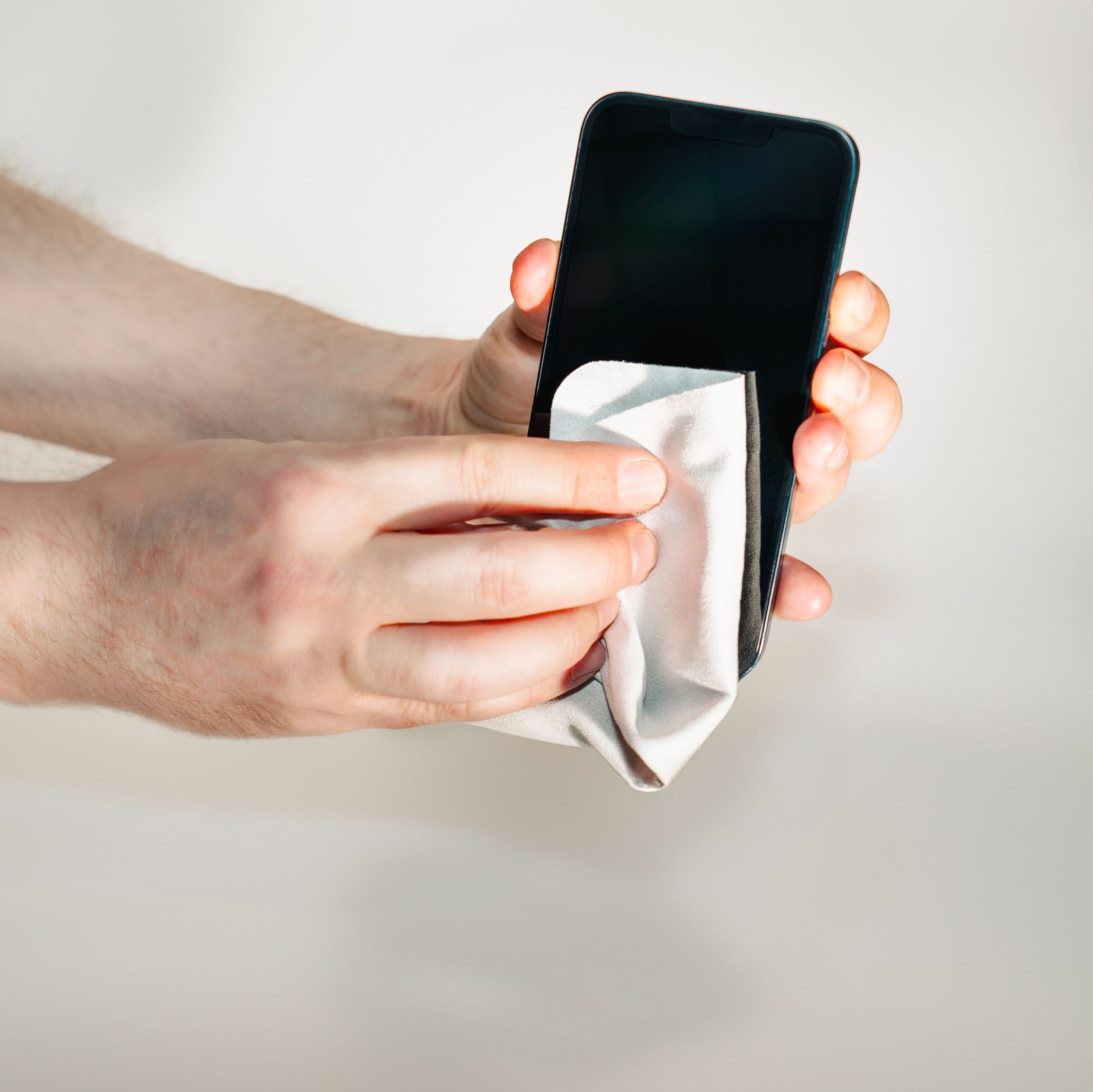
Clean the exterior using a soft microfiber cloth and cleaning methods recommended by the manufacturer. Avoid applying liquid directly to screens, ports, or openings.
Check the important functions before creating your listing:
- Display, touchscreen, and physical buttons.
- Battery charging and overall battery condition.
- Speakers, microphones, and cameras.
- Wi-Fi, Bluetooth, and mobile connectivity where applicable.
- Charging ports, connectors, and other essential components.
For laptops, also check the keyboard, trackpad, display, and available ports.
6. Take Clear Photos and Describe the Condition
Good photographs help buyers understand exactly what they are purchasing. Take pictures from different angles, including any visible scratches or damage.
Include the exact model, storage capacity, color, included accessories, battery condition where applicable, and any known faults in your description.
Do not publish passwords, personal account details, device unlock codes, or sensitive serial and identification numbers in public listing photographs.
Can You Sell Broken or Damaged Electronics?
Yes. A broken device may still have resale or parts value, depending on its model, components, and condition.
Some electronics buyback services accept devices with cracked screens, damaged components, or other faults. Repair businesses may also purchase products that they can refurbish or use for replacement parts.
However, acceptance rules differ significantly between platforms. For example, Swappa’s regular marketplace requires devices to be fully functional. It does not accept devices with cracked glass or water damage.
When selling a broken device, describe the problem accurately. Include whether it powers on, whether the display works, and whether there has been liquid or physical damage.
If the device has no meaningful resale value, consider responsible recycling instead of leaving it unused or throwing it into ordinary household waste. The U.S. Environmental Protection Agency recommends certified electronics recycling programs and explains the R2 and e-Stewards standards in its certified electronics recycler guide.
Important battery warning: Do not treat a swollen, leaking, overheating, or otherwise damaged lithium-ion battery as ordinary merchandise. Check the requirements of the recycling facility or carrier before arranging transportation. USPS has specific restrictions and packaging requirements for used, damaged, and defective electronic devices containing lithium batteries.
Review the official USPS lithium battery packaging instructions before shipping devices containing lithium batteries.
How to Avoid Scams When Selling Electronics Online
Online marketplaces make it easier to find buyers, but they also attract people who use fake payment confirmations and other deceptive tactics.

The Federal Trade Commission warns that online sellers may encounter fake payment notifications, bogus refund requests, overpayment checks, and requests for verification codes.
Take these precautions before completing a sale:
- Verify payments independently. Open your actual payment account or banking application instead of trusting screenshots, text messages, or email confirmations sent by a buyer.
- Reject overpayment arrangements. Be cautious when someone offers more than the agreed price and asks you to return the difference.
- Do not share verification codes. Buyers do not need your account login credentials or one-time security codes.
- Use the platform’s official payment process. Avoid unusual requests to move the conversation or payment outside the marketplace’s protection system.
- Keep shipping records. When mailing a device, follow the marketplace’s shipping instructions and retain the tracking information.
- Meet buyers carefully. For local sales, choose a public, well-lit location and do not hand over the item until you have verified payment.
The FTC also advises sellers to be cautious about accepting mobile payments from strangers. Read its guide to avoiding scams when selling things online for more examples of common seller-targeted fraud.
Frequently Asked Questions
Where is the best place to sell old electronics for cash?
It depends on the type of device and how quickly you want to sell it. eBay and other peer-to-peer marketplaces offer access to potential buyers, while Facebook Marketplace and local electronics shops can be convenient for in-person transactions. Buyback services may be easier when you prefer a quotation instead of negotiating with individual buyers.
Where can I sell old electronics near me?
Look for independent phone shops, computer repair businesses, electronics resellers, and pawn shops in your area. Local selling groups and Facebook Marketplace are other options. Ask several buyers for quotations and verify payment before handing over your device.
Can I sell old electronics that no longer work?
Yes. Some buyback businesses, repair shops, and parts buyers accept damaged or non-working electronics. The offer will depend on the device, its components, and its condition. Make sure the buyer accepts non-functional devices before shipping anything.
Does Apple Trade In pay cash?
Apple Trade In generally provides credit toward an eligible purchase or an Apple Gift Card, rather than unrestricted cash. Compare its offer with direct-selling options when you want money that you can use anywhere.
How can I get the most money for used electronics?
Identify the exact model, check recent completed sales, clean and test the device, and provide accurate photographs and descriptions. Compare offers across multiple platforms and calculate your expected payout after fees and shipping. Avoid accepting the first offer without checking alternatives.
Should I sell my old electronics or recycle them?
Sell a device when it has enough resale or parts value to justify the effort. Consider donating or recycling it responsibly when it is obsolete, unsafe, or too damaged to be worth repairing or selling. Electronics with damaged batteries require appropriate handling.
How long does it take to sell old electronics?
Local transactions can sometimes be completed on the same day when you find a buyer. Online marketplace sales depend on demand, your asking price, and how quickly a suitable buyer responds. Buyback services also require time for shipping, inspection, and payment processing. Check each provider’s current payment schedule before accepting an offer.
Selling old electronics can provide one-time income, but it may not be suitable if you want something more repeatable. For other opportunities, see our guide to gig economy side hustles that offer daily or faster payouts.
Final Thoughts
Selling old electronics can be a useful way to earn extra money from devices that would otherwise sit unused. The best approach is to match the selling method to your priorities.
Use an online marketplace when you want more control over pricing and access to potential buyers. Consider local buyers when convenience and a faster handover matter more. A buyback service may be a suitable alternative when you prefer a simpler transaction, while manufacturer trade-ins are worth considering when you are already planning an upgrade.
Before accepting an offer, compare the actual amount you will receive, prepare the device properly, remove your personal information, and verify payment. A little preparation can help you avoid unnecessary costs and make the most of technology you no longer need.
Sources and Further Reading
- Federal Trade Commission: How to Remove Your Personal Information Before Getting Rid of Your Phone
- Federal Trade Commission: Selling Stuff Online? Here’s How to Avoid a Scam
- Apple Support: What to Do Before You Sell, Give Away, or Trade In Your iPhone or iPad
- Google Android Help: Reset Your Android Device to Factory Settings
- eBay: Understanding Selling Fees
- Swappa: Marketplace Fees
- U.S. Environmental Protection Agency: Certified Electronics Recyclers
Editorial Note: Platform fees, payment methods, device eligibility, and trade-in offers may change. Check the provider’s current terms before completing a transaction
Also Read: How To Safeguard Your Cryptocurrency Holdings: A Beginner’s Guide
Well, what do you think about the article?
Did you enjoy reading “Where to Sell Old Electronics for Cash: Best Places & Tips”? We really hope that you have enjoyed.
If you have any thoughts or comments about this post, please feel free to share them in the comment section below. We appreciate your feedback and would be glad to hear from you.
To see more content like this check the Beermoney section of Money For My Beer.

Chief Editor and Website Owner.
Hi, I’m Ryan. I write and edit everything on this site, which means I’m the last set of eyes on every post before it goes live. By day I’m a technical architect. I design and build enterprise systems, apps, websites, and the occasional game.
This site started because I wanted one place where money advice for regular people doesn’t read like it was written by a finance robot. My goal is simple: every article should be genuinely useful, actually tested against what real people are searching for, and written in plain English. No jargon, no “get rich quick,” no advice I wouldn’t follow myself.
You’ll see a lot of topics here that lean on my engineering background: software reviews, tools, and tech-adjacent money stuff. Where a topic needs real financial expertise, I say so plainly and point you to qualified sources rather than pretending.